
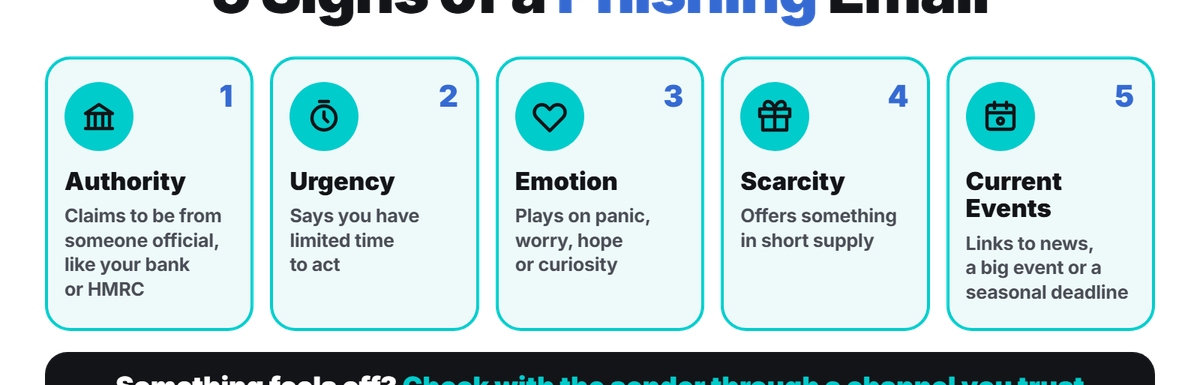
Phishing is the most common attack UK businesses run into. The government’s Cyber Security Breaches Survey 2025/2026 found that 43% of businesses identified a breach or attack in the previous 12 months, and phishing was the most common type, affecting 38% of businesses.
The volume seems to be growing too. The NCSC’s Suspicious Email Reporting Service received over 13.4 million reports between September 2025 and August 2026, the highest since the service started.
The good news is that you can significantly reduce the risk with the right mix of technology, training, and clear processes. In this guide, we go through how to spot a phishing email, what to do if someone clicks, and how to protect your business.
What Is Phishing?
Phishing is a kind of scam where criminals pretend to be someone you trust, usually by email, to trick you into clicking a harmful link, opening an infected attachment, sharing login details, or sending money.
The term usually describes email attacks, but the same tricks can be used on other channels. The types your business can come across include:
- Bulk phishing: Generic emails sent to thousands of people, often posing as a bank, delivery firm, or software provider
- Spear phishing: Targeted messages that use details about your staff or business to appear more convincing
- Whaling: A form of spear phishing aimed at senior people, such as directors or finance leads, who can approve payments or access sensitive data
- Business email compromise: Criminals can imitate a real supplier or take over a colleague’s email account
- Smishing and vishing: The same scams sent through text message (Smishing) or carried out over the phone (Vishing)
The NCSC notes that attackers use publicly available information about your organisation and staff to make spear phishing and whaling messages more convincing. So, your website and social media accounts may all feed into these attacks.
How Do You Spot a Phishing Email?
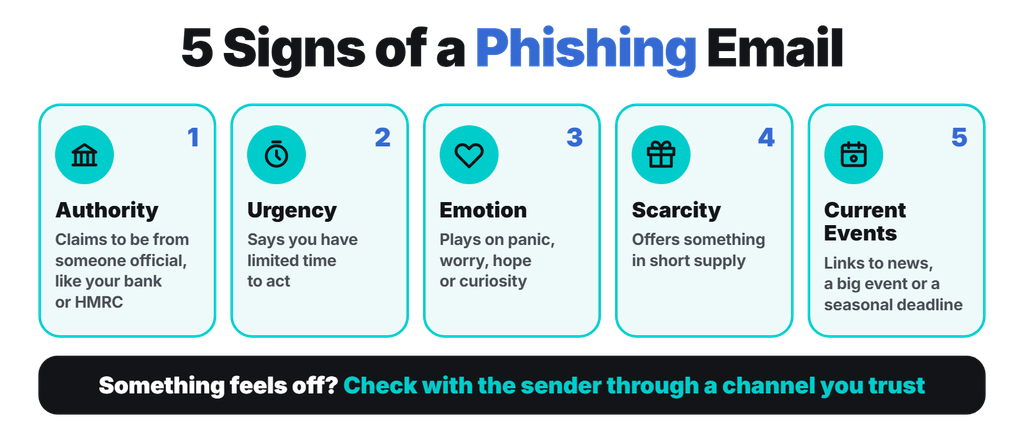
You can spot phishing emails by looking for anything that feels out of the ordinary, then checking with the sender through a channel you trust. The NCSC lists five common warning signs:
- Authority: The message claims to come from someone official, such as your bank, HMRC, a solicitor or a senior colleague.
- Urgency: The message indicates that you have limited time to act; the person could use a threat of a fine, a locked account, or a missed deadline.
- Emotion: The message uses emotions like panic, worry, hope, or curiosity as the driving force for the desired action.
- Scarcity: It offers something that’s in short supply, so you feel you’ll miss out if you don’t act quickly.
- Current events: It links to news, a big event, or a seasonal deadline, such as tax returns, so it doesn’t feel unexpected.
What Should You Do If You Click a Phishing Link?
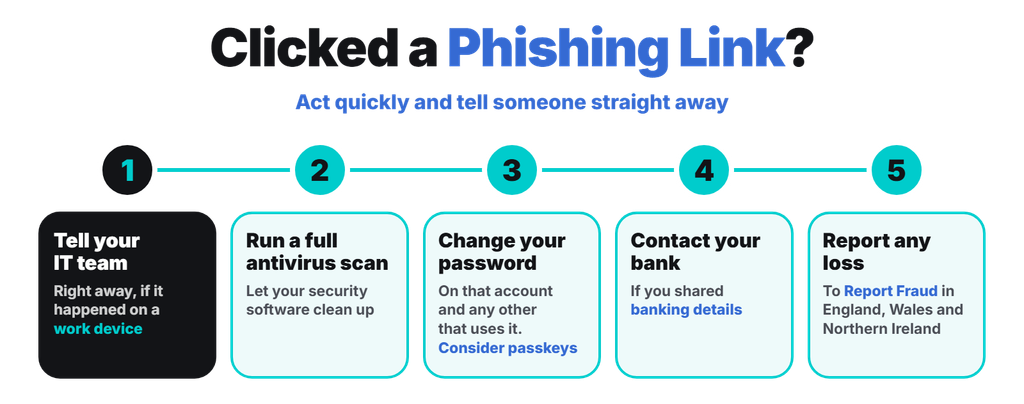
If you end up clicking a phishing link, act quickly and tell someone straight away. Fast reporting gives your IT team the best chance of damage control. And if you’ve responded to a scam, based on the NCSC’s guidance, here’s what to do:
- Tell your IT team immediately: If it happened on a work device, contact your IT department or IT support provider right away.
- Run a full antivirus scan: Let your security software clean up anything it finds.
- Change your password: If you entered a password, change it on that account and on any other account that uses the same password. Consider switching to passkeys if you can.
- Contact your bank: If you happen to share banking details, let your bank know as soon as possible.
- Report any loss: You can report lost money or a successful hacking attempt to Report Fraud in England, Wales, and Northern Ireland.
How Can You Improve Email Security for Your Small Business?
Effective protection comes from several layers working together. You want to make it hard for attackers to reach your users, help users spot and report phishing, limit the damage from emails that get through, and respond quickly to incidents.
These are the protections worth putting in place in practice:
- Email filtering: Scan incoming email for spam, phishing links, and malware before it reaches anyone’s inbox.
- SPF, DKIM, DMARC: These are email authentication records that make it harder for criminals to send emails that pretend to come from your domain. DMARC stops phishers from spoofing your domain, which protects your customers and suppliers, too.
- Multi-factor authentication (MFA): A stolen password isn’t enough on its own to get into an account. MFA helps protect your accounts even if passwords leak. Microsoft 365 includes MFA, as our post on the top security benefits of Office 365 explains.
- Software updates: Keep your devices, browsers, and apps up to date, so a malicious link or attachment has fewer weaknesses to exploit.
- Limited admin rights: Your staff should only have the access they need.
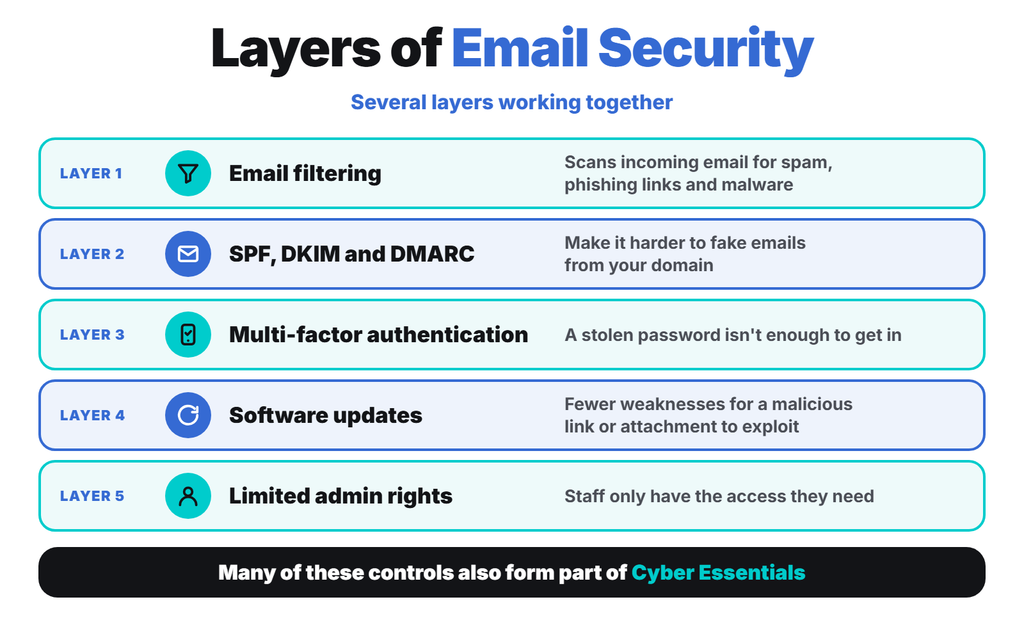
Many of these controls also form part of Cyber Essentials, the government-backed baseline that helps protect against common internet attacks.
How Can Netzen Help Protect Your Business From Phishing?
Netzen has helped UK businesses with managed IT support since 2005. We hold Cyber Essentials Plus. Our cyber security services can help you put layered email protection in place, set up MFA across Microsoft 365, and keep your systems up to date. If you want to strengthen your online defences against phishing, drop us a message here.